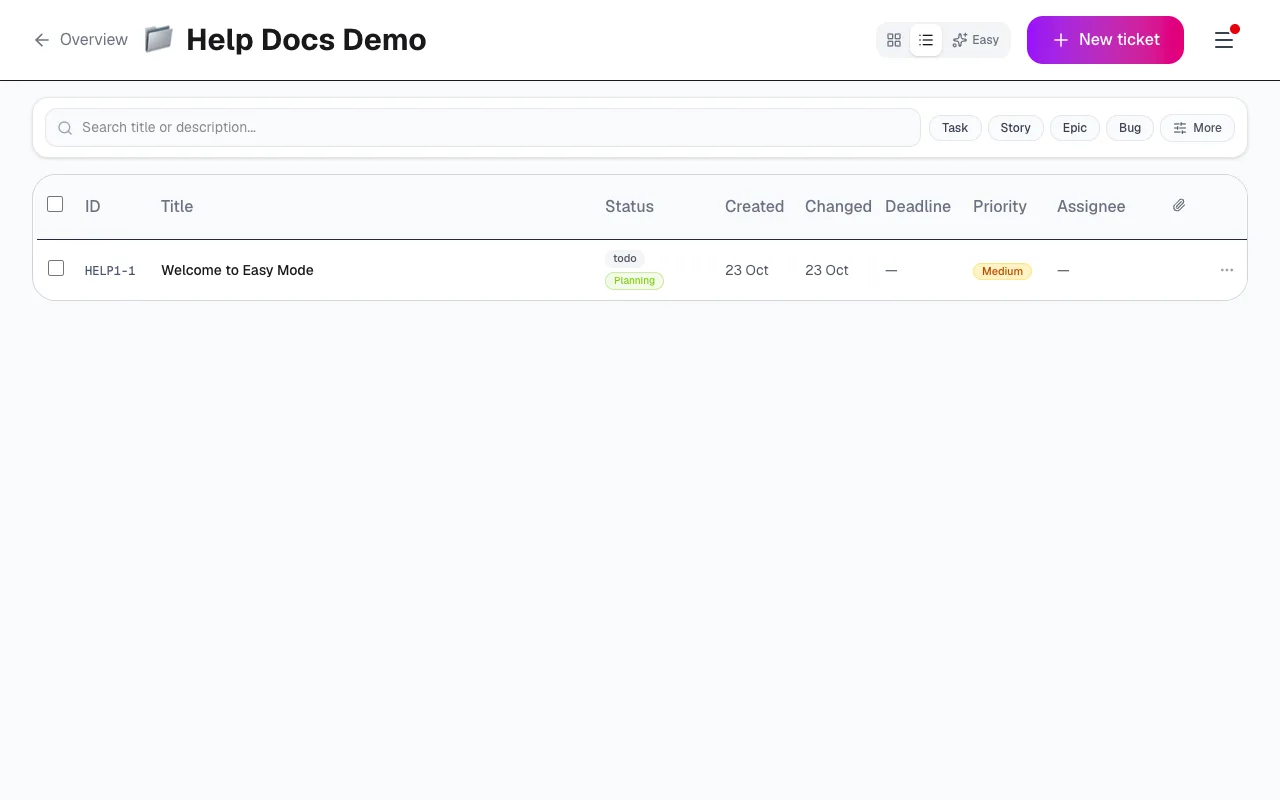
Easy, List and Kanban
Last updated: October 23, 2026
Kyppo is one product with three modes for three jobs. Same tickets underneath — pick the view that matches the moment.
Three jobs
- Easy: Do the work. Calm tiles for what needs you, what is in progress, and what is ready to start. Open, update, comment, move on.
- List: Build and curate. Dense rows, sort, filter and bulk edit when you are shaping the backlog — not living inside one task.
- Kanban: Align on order and flow. Columns and drag-and-drop as a conversation surface: relative priority, blocked vs ready, team agreement.
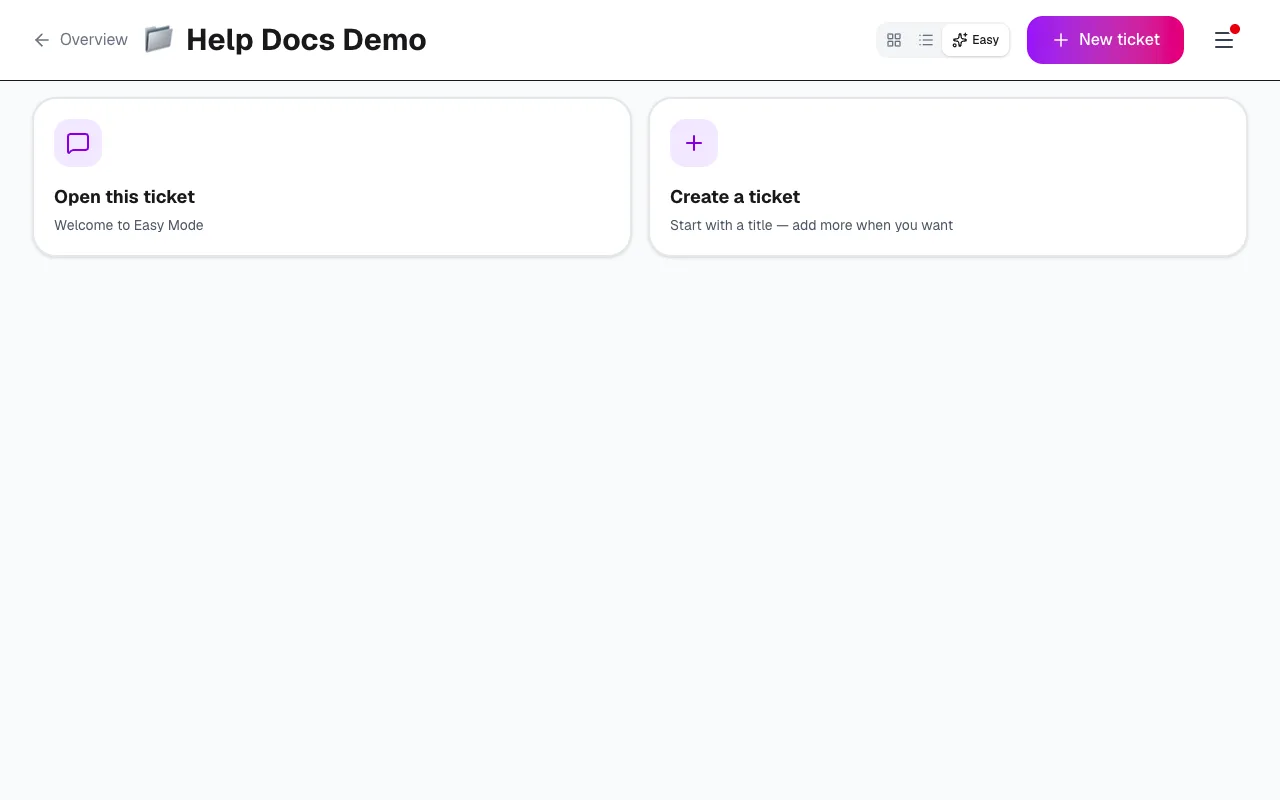
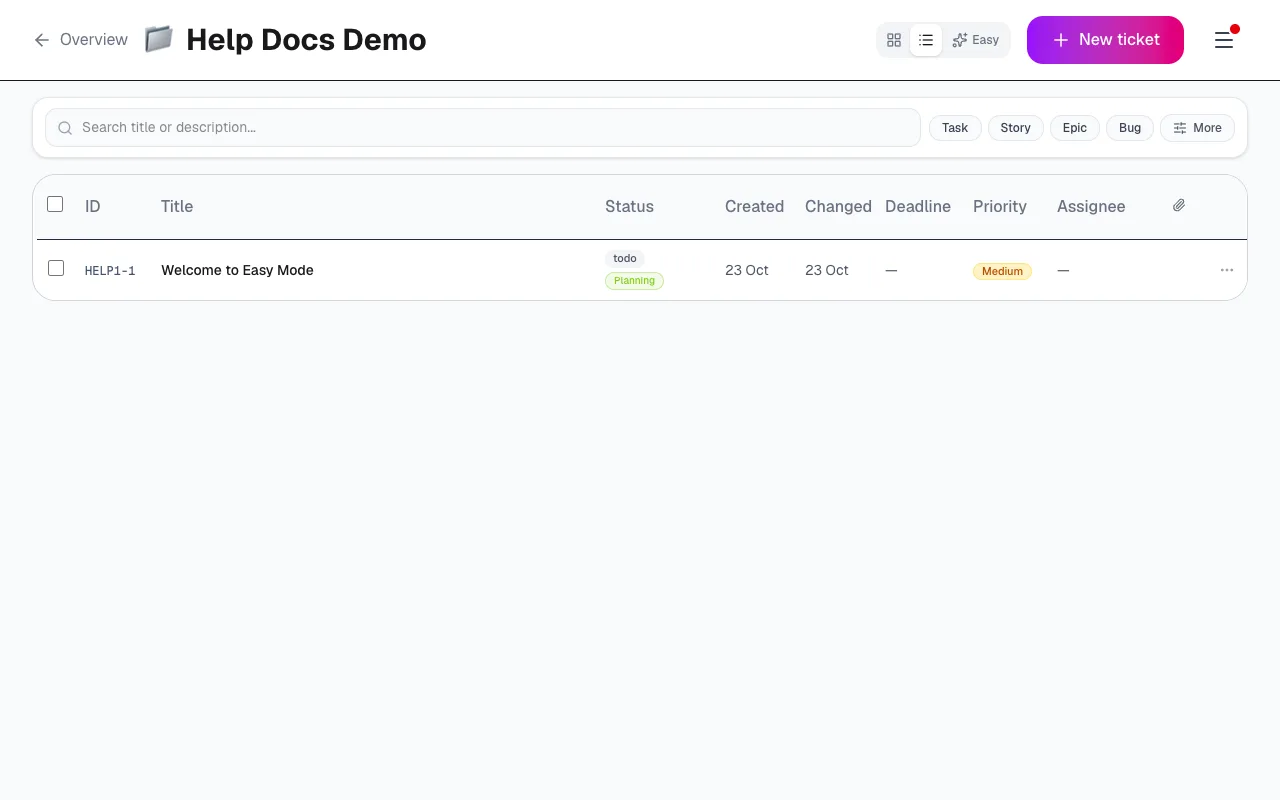
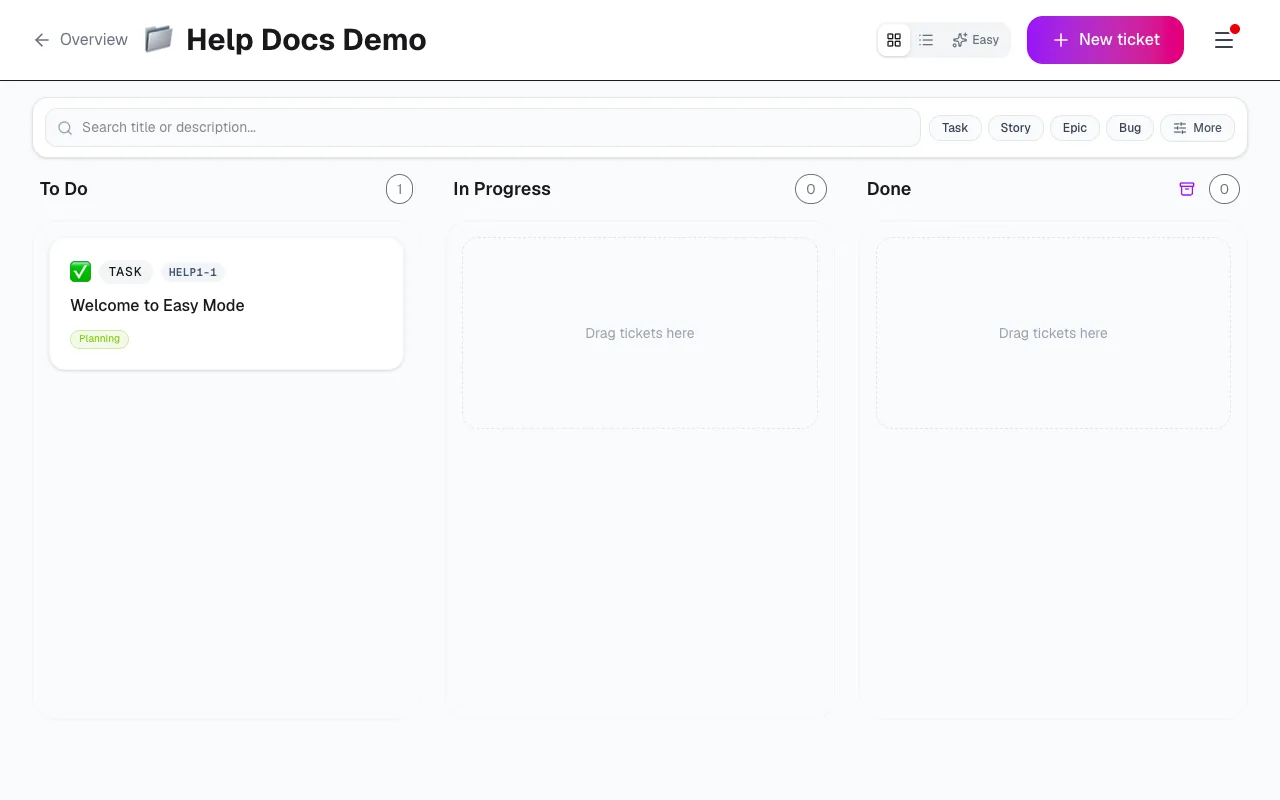
View switcher
Switch between Easy, List and Kanban anytime. Kyppo remembers the view you last used for a project so you land where you left off.
Filters
Narrow the board without changing the underlying tickets. Filters work across views so you can focus, then clear them when you need the full picture.
- Search: Match title or description.
- Type: Epic, Story, Task or Bug.
- Status: Include or hide statuses as you go.
- Labels: Project labels you (or the team) defined.
- Modes: Filter by mode — including Draft when you need it.
- Epic: Focus on tickets under one epic.
- Assignee: You, someone else, or unassigned.
- Deadline: Due soon, overdue, or a custom window.